Your color season, from one photo
From a photo of your face, Mera makes a first guess at your color season, body type, style archetype and visual weight. Every outfit follows the version you keep.
Part of Mera: Outfits & Color Season. Free to use, for an iPhone or iPad with iOS 26 or iPadOS 26 or later.
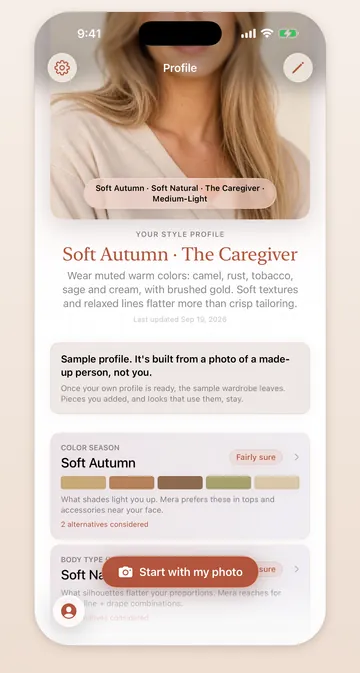
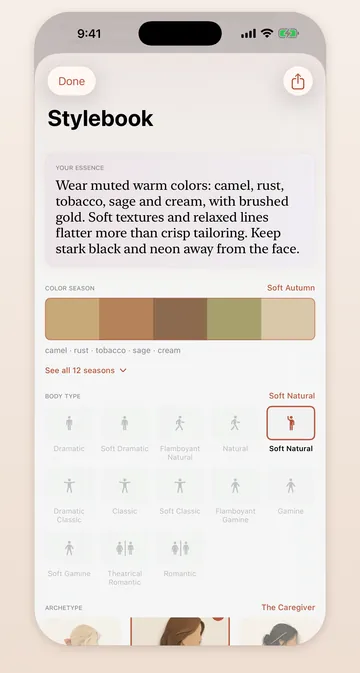
Four parts, one profile
Mera's style profile has four parts: a color season with its palette of shades, a body type, a style archetype and a visual weight. It is built from a photo of your face, an optional full-length photo, and three questions about your climate, your days and the shapes you like.
The full-length photo helps with the body type, and you can skip it.
A first guess, not a verdict
Color seasons and body types are judgments that even stylists disagree on. Each part of your profile shows how sure Mera is. When it is between two seasons, it asks which feels right instead of picking one for you.
You can change any part at any time. Outfits, audits and checks before you buy follow the version you keep.
Learn what each part means
The Stylebook explains each framework in plain words: what your season is, why those shades suit you, and what your body type and visual weight mean for the shapes and textures you wear.
Your first style profile is free and does not count against your limit. You can also look around a sample profile first, with no photo at all.
Questions
Where does my face photo go?
Mera asks before it sends your first photo. The photo goes through Mera's servers on Cloudflare to Anthropic, which builds your profile. Mera keeps no copy of it. The privacy policy has the full details.
What if I disagree with my season?
Change it. Every part of the profile can be edited, and Mera styles you by the version you keep.
Mera asks before it sends your first photo, and keeps no copy of it. The privacy policy lists what each company receives.
More in Mera
- Outfit ideas Outfits built from what is already in your wardrobe.
- Capsule planner A trip or an office week, packed from your own clothes.
- Wardrobe audit Keep, refit or let go, and why, for every piece.
- Before you buy A buy, skip or maybe, checked against what you own.
- What's missing What to buy first, what can wait, and why.